Deleted!
I've given up on reworking this style to reflect the changes made a while ago (October 2007??)

I may retry with a fresh start at new code.
| Author | USBman |
|---|---|
| Created | Jul 23, 2007 |
| Updated | Aug 4, 2007 |
| Installs (this week) | 0 |
| Installs (total) | 357 |
| Average rating |
|
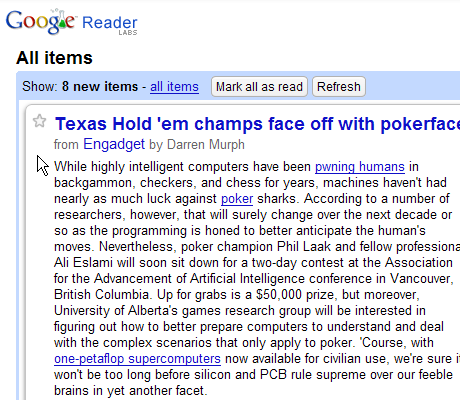
This style autohides the navigation box seen on the left side of Google Reader, where your subscriptions are listed. The navigation box is hidden away until you hover your cursor over the left side of the screen, allowing for all of your screen real estate to be utilized. It's not necessary, but it really comes in handy for lower resolution screens and/or to add a sense of geek-chic.
This style is currently set up for a 1680px by 1050px resolution, but can easily be changed to whatever you'd like - simply note the comments in ALL CAPS, as they explain what values to use. I've taken the time to comment out everything, so please see the comments for any clarification. This works well with Google Reader - Post Tweaks .
(updated 8/4/07 - now includes secured http connections: https://www.google.com/reader)
12-3-07 UPDATE: this is for use with the previous version of Google Reader (the one that did NOT include the hiding option). I'm working on updating this code - please be patient. Thanks!
This style is currently set up for a 1680px by 1050px resolution, but can easily be changed to whatever you'd like - simply note the comments in ALL CAPS, as they explain what values to use. I've taken the time to comment out everything, so please see the comments for any clarification. This works well with Google Reader - Post Tweaks .
(updated 8/4/07 - now includes secured http connections: https://www.google.com/reader)
12-3-07 UPDATE: this is for use with the previous version of Google Reader (the one that did NOT include the hiding option). I'm working on updating this code - please be patient. Thanks!
More Info
Feedback
Discussions
Ask a new question or add a review for this style.